
Smart Glasses: Daily Help or an Expensive Extra?
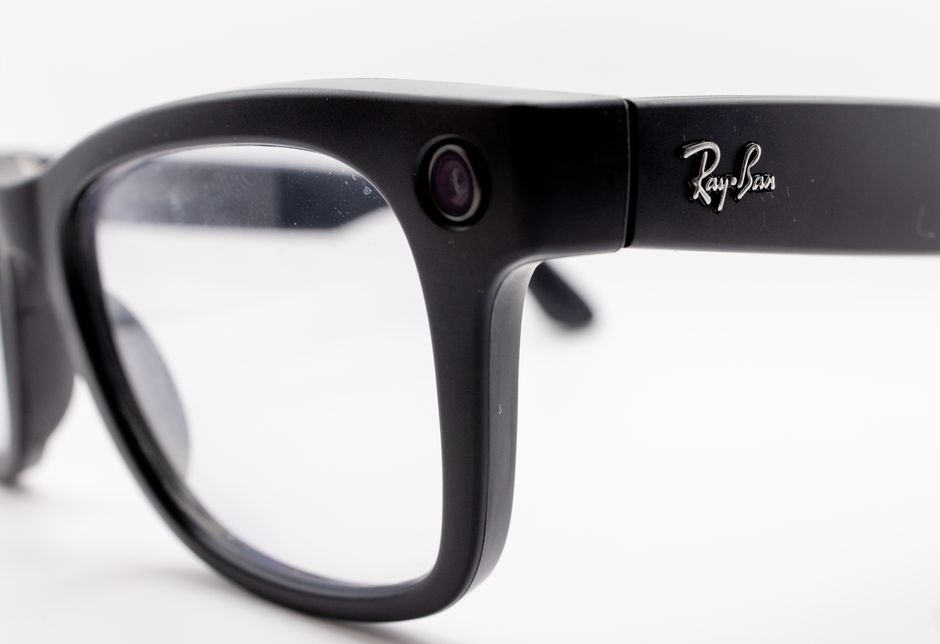
Display smart glasses earn their price when hands-free directions, captions, or quick message checks solve daily problems often enough to outweigh a short battery under heavy use, added weight, and phone dependence. The Meta Ray-Ban Display costs $799; its advertised battery reaches six hours, while one review measured about 3.5 to four hours during intensive use. Try the fit, prescription options, and core features before buying.
What can display smart glasses do that a phone cannot?
Display smart glasses can put brief visual information in your sightline while your phone stays in your pocket. Ray-Ban lists walking directions with a visual map, live translation captions, and the ability to view or reply to messages.
That is a narrow but useful difference. A phone can show a map or message; glasses can show selected information without asking you to hold the phone. The display is a 600 × 600-pixel monocular screen with a 20-degree field of view, according to Ray-Ban. It is built for quick glances, not a full phone-sized workspace.
Meta describes the product as suited to checking messages, previewing photos, and using visual Meta AI prompts. A phone remains part of the setup: compatible devices need iOS 15.2 or later or Android 10 or later, and The Verge reports that opening links still depends on the phone. That limits the promise of being phone-free. The benefit is fewer moments of taking the phone out, not independence from it.
Cost sharpens the question. Meta announced the glasses with the Neural Band at $799. The Verge also reports that the display appears only in the right lens, while its review found limited third-party apps. The price buys a focused set of hands-free interactions, not a replacement for a phone.
How long does the battery last with the display turned on?
Meta and Ray-Ban advertise up to six hours per charge, but intensive display use can shorten that in practice. The Verge reviewer reported about 3.5 to four hours while using photo and video capture, live captions, walking directions, messaging, and audio playback.
The sources give different totals for the charging case. Meta advertises up to 30 hours total with the case, while Ray-Ban's product page lists up to 24 hours with a fully charged case. Treat six hours as the stated mixed-use figure and the case totals as differing published claims, not a guaranteed workday figure.
Usage matters. A brief message check is not the same workload as recording, captions, directions, and audio running in the same stretch. Public sources do not give a battery duration for each individual feature, so a buyer cannot calculate a precise daily runtime from the available figures.
For a practical decision, list the tasks you expect to use and how long you need them between charging opportunities. If your routine depends on frequent directions, captions, and audio, the review's intensive-use result is the more cautious planning figure. If those features are occasional, the advertised mixed-use figure gives a different reference point.
Can I get smart glasses with prescription lenses?
Yes. Meta's help page says prescription lenses are available for Meta Ray-Ban Display, though lens choices and compatibility vary by model. Meta identifies Transitions lenses as the default and only non-prescription option for this Display model.
The Verge reports prescription support from -4.00 to +4.00. That range is useful context, but it does not establish that every prescription, lens need, or fitting preference is supported. Check the available options for your specific prescription before treating compatibility as settled. For broader considerations around frame shape and stronger prescriptions, see Can I Choose Oversized Statement Glasses With a Strong Prescription?
Comfort also belongs in the trial. The Verge review describes the glasses as 69 grams, heavy and chunky, and reports discomfort after several hours. A fit that feels acceptable for a short try-on can feel different over a full day; the published review is evidence of a possible trade-off, not a promise that every wearer will feel the same.
Before paying, wear the frame long enough to judge its weight and fit, and confirm that the display position works with your vision. If either becomes distracting, hands-free features lose their value.
Privacy, phone dependence, and a buying trial
Privacy needs more than a small indicator. Meta says the camera capture LED signals when photos or videos are being taken, and the company states that the in-lens display has 2% light leakage. The Verge's hands-on report says the display is difficult for nearby people to see.
A 2024 CHI study, based on a diary study with 15 participants and exit interviews, found that participants considered current privacy indicators ineffective. Researchers also found that camera-glasses design can conceal recording technology from unaware bystanders and that privacy concerns can burden wearers. The camera LED communicates capture, but it does not remove the social question of whether recording is welcome.
Workplace rules are another practical check. The provided sources do not describe employer policies, so they cannot establish whether recording is permitted at a particular job. Check local workplace rules before bringing camera glasses into settings where recording is restricted or sensitive.
Use a short, deliberate trial before deciding whether the cost fits your life. Test walking directions on a route you know, read captions in a setting where you need them, and reply to a message without reaching for the phone. Then wear the glasses long enough to assess comfort, confirm prescription choices, and note whether the phone or a cloud-connected feature remains necessary for the task. Stop if the feature adds more steps than it removes.
| Option | Who it suits | Cost | Key limitation |
|---|---|---|---|
| Meta Ray-Ban Display with Neural Band | People seeking quick visual directions, captions, and message checks | $799, announced by Meta | Phone compatibility is required; The Verge reports limited third-party apps and phone dependence for opening links |
| Prescription Meta Ray-Ban Display | Prescription wearers whose lenses fit the model's available choices | not published | Meta says compatibility and lens choices vary; The Verge reports a -4.00 to +4.00 range |
| Display use with charging case | People who need additional charging capacity between outlets | not published | Published total battery claims differ: Meta says up to 30 hours; Ray-Ban says up to 24 hours |
Frequently Asked Questions
Can people nearby see or hear what is displayed in smart glasses?
The display is monocular, and Meta reports 2% light leakage; a hands-on report says nearby people have difficulty seeing it. Open-ear speakers mean audio is a separate consideration, and the sources do not quantify how much other people can hear. A camera LED signals capture, but a 2024 CHI study found participants considered current privacy indicators ineffective.
Are smart glasses useful every day or do they end up unused?
They are most useful when directions, captions, or brief message checks recur in your routine and work well without repeated phone handling. They are less compelling when the display's limits, battery, fit, prescription constraints, or phone dependence interrupt those tasks. A trial of your own routine is a better test than the feature list.
Sources

Is This Electronics Sale Price Actually a Good Deal?
Check price history, competing retailers, bundle math, and model changes to judge whether an electronics discount is genuine.

Choose a Digital Signage Screen That Fits Your Hours and Budget
Compare consumer and commercial signage by operating hours, brightness, content tools, and the full cost of screens, software, players, and installation.